
Table of Contents

Table of Contents

Fashion

Flat

AI

Design smarter. Create faster.

A laptop displaying the HireFive job board interface, showcasing search filters, a list of active job listings, and an open job description for a UI/UX Designer role.

Fashion

Flat

AI

Design smarter. Create faster.

A laptop displaying the HireFive job board interface, showcasing search filters, a list of active job listings, and an open job description for a UI/UX Designer role.

Fashion

Flat

AI

Design smarter. Create faster.

A laptop displaying the HireFive job board interface, showcasing search filters, a list of active job listings, and an open job description for a UI/UX Designer role.

Fashion

Flat

AI

Design smarter. Create faster.

A laptop displaying the HireFive job board interface, showcasing search filters, a list of active job listings, and an open job description for a UI/UX Designer role.

Award

  • First Place, GeneralTech Track — 2025 Tech Innovation Jam, University of Michigan Ross School of Business

  • Top 5 Overall Finalist — Selected out of 72 competing teams across all event tracks

Overview

Many fashion designers spend 40+ hours per collection on manual flat sketches, and they have to rework across multiple files for every revision. The design process is time-consuming and tedious.

FashionFlat AI is an AI-powered platform that streamlines the fashion design workflow by transforming rough sketches into editable technical flats and automatically producing the technical packs needed to move from concept to production.

Duration

October 2025 - November 2025

Team

  • Victor Fang

  • Wonji Seo

  • Joseph Winkler

  • Alexis Chung

Tools

  • Figma

  • FigJam

  • Adobe Photoshop

  • Adobe Premiere Pro

Process

1. Research

  • User interviews

  • Persona

  • User Journey Map

2. Design

  • Low-Fidelity Wireframes

  • High-Fidelity Prototype

3. Final

  • Product Demo

  • Reflection

  • Next Steps

1. Research

User Interviews

To uncover the core challenges fashion designers face, our team conducted user interviews and mapped our data using an affinity wall. This process revealed three primary workflow pain points.

Paper-to-Digital Hurdles

It is time-consuming to turn a rough sketch into a digital piece. Designers must juggle scanning software, vector tools, and CAD programs, breaking their creative momentum.

Messy Revision Cycles

It is challenging to make revisions because they often make sketches look messier, and designers may end up having to start over. This lack of version control wastes hours of manual iteration.

Tedious Spec Documentation

Documenting a design specification can be a tedious process. Tech packs and manufacturer instructions are frequently managed via scattered emails and spreadsheets, leading to production delays.

Persona

By analyzing common behavioral patterns across our research, we developed a primary persona to represent the daily workflows and friction points of fashion designers. This archetype keeps real-world needs at the center of every feature decision.

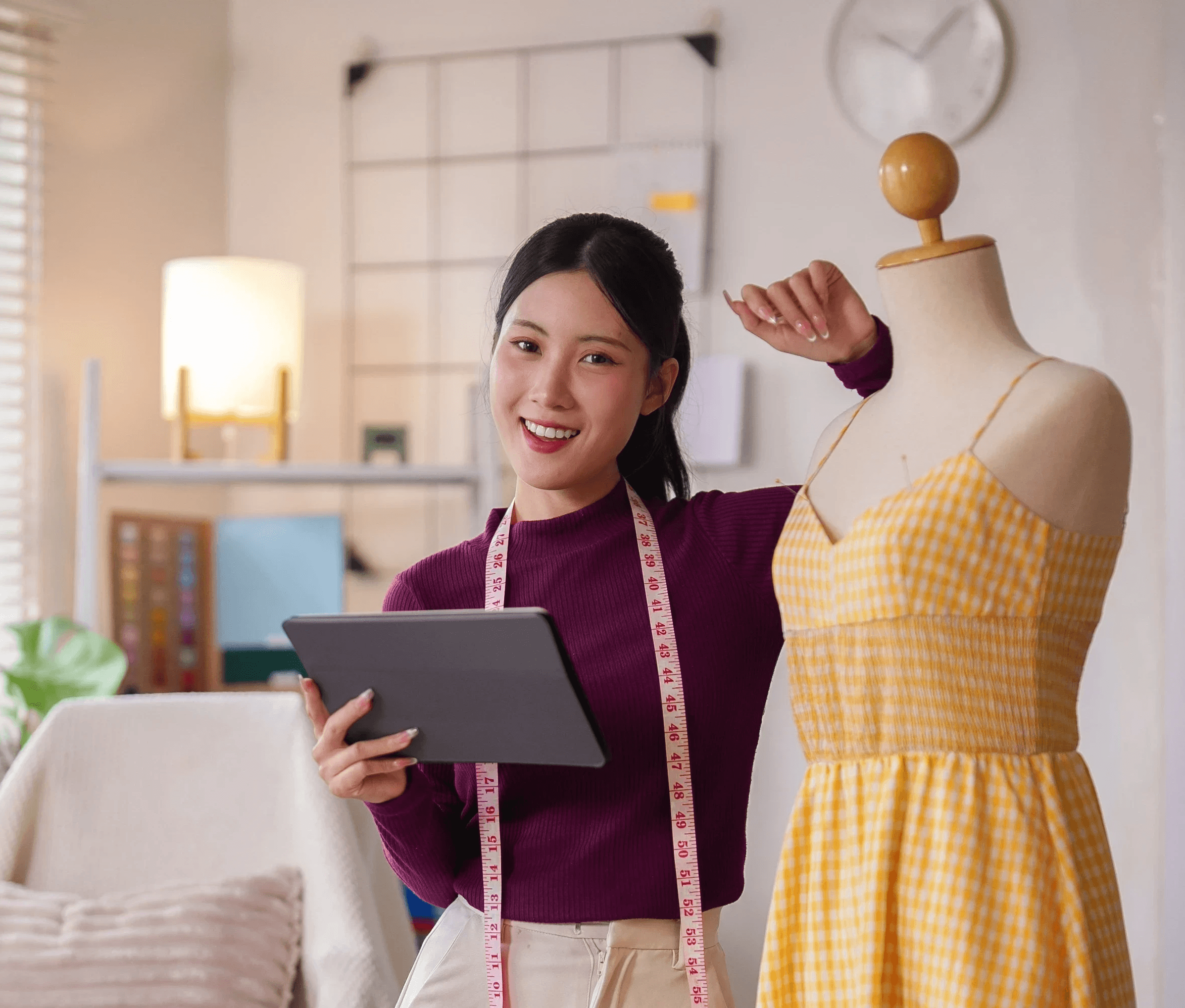
Headshot of Abby, the target user persona for the case study, depicted as a young fashion designer holding a tablet in her design studio.

Abby

25 years old

New York, NY

Headshot of Abby, the target user persona for the case study, depicted as a young fashion designer holding a tablet in her design studio.

Abby

25 years old

New York, NY

Headshot of Abby, the target user persona for the case study, depicted as a young fashion designer holding a tablet in her design studio.

Abby

25 years old

New York, NY

Biography

Biography

Amy is a fashion designer overwhelmed by manual sketching, revisions, and administrative overhead. She needs an integrated platform to automate repetitive tasks and reclaim time for creative design.

Abby is a fashion designer overwhelmed by manual sketching, revisions, and administrative overhead. She needs an integrated platform to automate repetitive tasks and reclaim time for creative design.

Frustrations

  • Redrawing everything by hand onto a computer takes a long time.

  • Modifying physical drawings gets messy fast, forcing her to start over.

  • Manually building out detailed tech packs is inefficient.

Goal

  • Turn rough concepts into digital vector sketches instantly.

  • Auto-generate tech packs without spending hours on data entry.

User Journey Map

Guided by our persona, we mapped the user experience across four key stages of the design process. Breaking down this workflow allowed us to see exactly where users experience friction and discover clear opportunities to improve the product.

1. Generate

1a.

Upload a hand-drawn rough sketch.

1b.

Turn the sketch into a digital flat sketch.

Opportunity

Provide existing flat sketches as starter templates.

2. Edit

2a.

Review the generated flat sketch.

2b.

Make adjustments to the flat sketch.

Opportunity

Design an Illustrator-like interface for editing designs.

3. Expand

3a.

Add more elements to the flat sketch.

3b.

If needed, insert existing elements.

Opportunity

Implement an AI feature that generates elements from user prompts.

4. Export

4a.

Examine the design specification.

4b.

Download the complete tech pack.

Opportunity

Add a panel to easily view design specifications and download tech packs.

1. Generate

1a.

Upload a hand-drawn rough sketch.

1b.

Turn the sketch into a digital flat sketch.

Opportunity

Provide existing flat sketches as starter templates.

2. Edit

2a.

Review the generated flat sketch.

2b.

Make adjustments to the flat sketch.

Opportunity

Design an Illustrator-like interface for editing designs.

3. Expand

3a.

Add more elements to the flat sketch.

3b.

If needed, insert existing elements.

Opportunity

Implement an AI feature that generates elements from user prompts.

4. Export

4a.

Examine the design specification.

4b.

Download the full tech pack.

Opportunity

Add a panel to easily view design specifications and download tech packs.

2. Design

Low-Fidelity Wireframes

We began our design process by analyzing existing services, including Adobe Illustrator, Raspberry AI, and Mercer Design, to uncover industry standards and gather visual inspiration.

We then translated our insights into low-fidelity wireframes, establishing a seamless end-to-end workflow across four core screens:

  1. Landing Page: A clean, focused entry point enabling users to instantly upload or scan their physical sketches.

  2. Dashboard: An organized asset manager featuring folder structures to track design files and ongoing projects.

  3. Design Editor Workspace: A specialized canvas providing traditional vector layout tools alongside integrated asset panels.

  4. AI Robot: A conversational sidebar modal allowing users to rapidly generate and expand design elements via text prompts.

Low-fidelity wireframe of the landing page, showing placeholders for a header logo, a central headline, and a large button to scan sketches.
Low-fidelity wireframe of the editor canvas, surrounded by left layer panels, a bottom toolbar, and right property settings.
Low-fidelity wireframe of the file dashboard, displaying a left navigation sidebar and a grid of four project file placeholders.
Low-fidelity wireframe showing a chat window overlaying the canvas, containing mock text bubbles and a message submission input.
Low-fidelity wireframe of the landing page, showing placeholders for a header logo, a central headline, and a large button to scan sketches.
Low-fidelity wireframe of the file dashboard, displaying a left navigation sidebar and a grid of four project file placeholders.
Low-fidelity wireframe of the editor canvas, surrounded by left layer panels, a bottom toolbar, and right property settings.
Low-fidelity wireframe showing a chat window overlaying the canvas, containing mock text bubbles and a message submission input.

High-Fidelity Prototype

We advanced our wireframe concepts into a high-fidelity prototype that simulates the FashionFlat AI ecosystem.

To minimize users' manual efforts, we focused strictly on essential tools tailored to fashion workflows and integrated an AI assistant to quickly generate design elements.

High-fidelity landing page for FashionFlat AI with a dark purple theme, glowing headline, a sketch-to-jacket interactive slider, and a purple CTA button.
High-fidelity workspace interface displaying a white long-sleeve polo shirt vector on a dark canvas, surrounded by editing property panels.
High-fidelity project dashboard showing a grid of eight technical fashion flats organized under a dark theme navigation menu.
High-fidelity editing screen with an AI generator modal overlay, displaying preview choices for an AI-generated striped shirt layer.
High-fidelity landing page for FashionFlat AI with a dark purple theme, glowing headline, a sketch-to-jacket interactive slider, and a purple CTA button.
High-fidelity project dashboard showing a grid of eight technical fashion flats organized under a dark theme navigation menu.
High-fidelity workspace interface displaying a white long-sleeve polo shirt vector on a dark canvas, surrounded by editing property panels.
High-fidelity editing screen with an AI generator modal overlay, displaying preview choices for an AI-generated striped shirt layer.

3. Final

Product Demo

After finalizing the high-fidelity prototype, we used Adobe Premiere Pro to create a video demo showcasing FashionFlat AI's four key features:

  1. Sketch Digitization: Converting a hand-drawn sketch into a clean digital flat sketch.

  2. Editor Workspace: Making precise micro-adjustments directly to lines and vectors on a drawing canvas.

  3. AI Assistant: Expanding designs and creating custom elements through conversational text prompts.

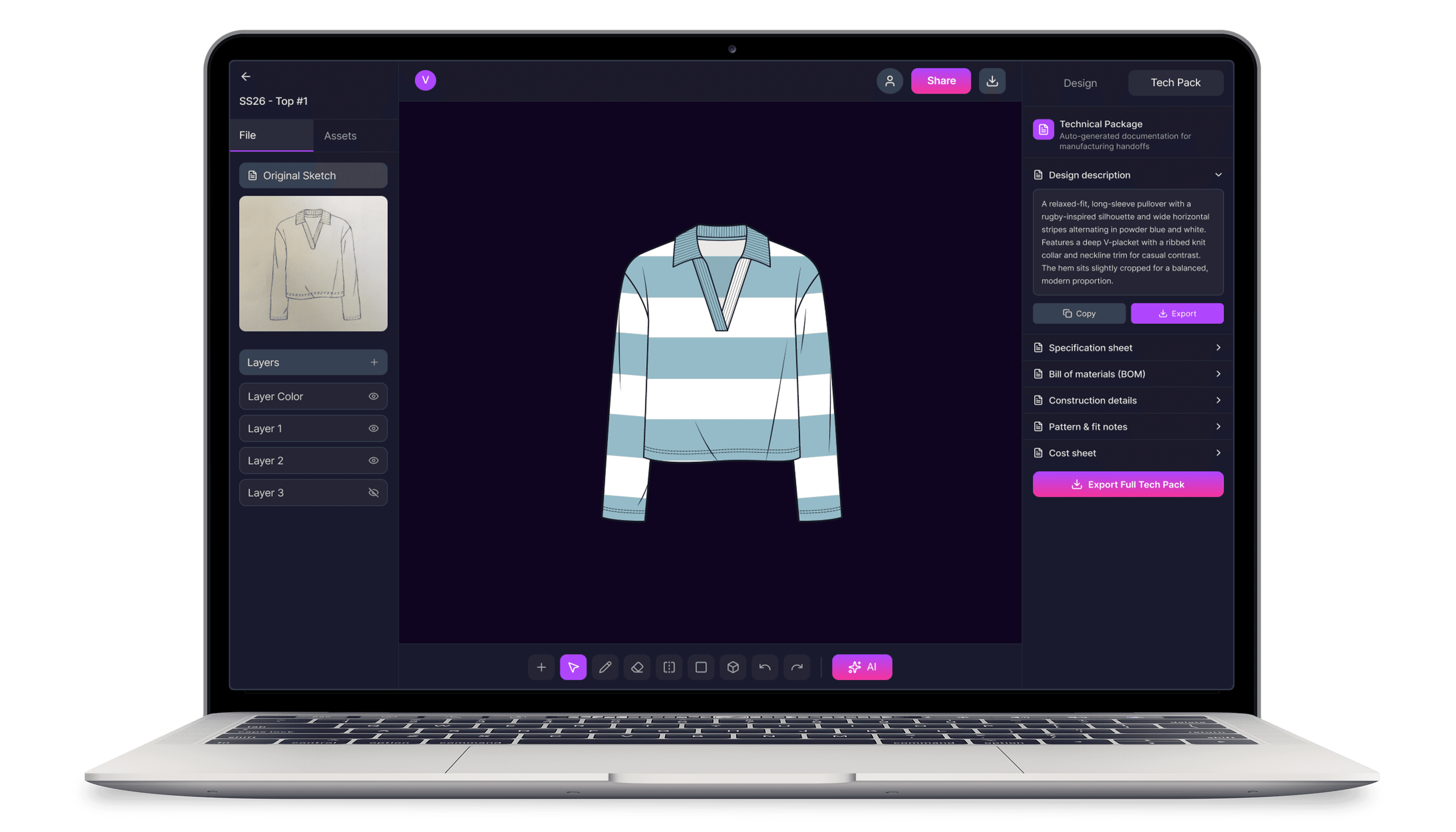
  4. Auto-Generated Tech Packs: Compiling technical specifications into a production-ready file for instant download.

Reflection

Working as a team to build FashionFlat AI really opened our eyes to how much tedious, manual work goes into a designer's day. Looking back at our process, we walked away with two core takeaways:

Control Over Automation

Our research showed that while designers love the speed of AI generation, they are protective of their personal creative side. Integrating the AI assistant alongside a manual Editor Workspace struck the perfect balance between speed and creative freedom.

Streamlining Technical Hand-Offs

Turning a creative sketch into a design specification sheet is usually a tedious, multi-step chore. By making it effortless to generate a tech pack straight from the digital workspace, we found that smoothing out this hand-off provides massive relief for the user.

Next Steps

As we look toward the future of FashionFlat AI, we outlined the following two key areas of focus for our next development cycle.

Usability Testing

Run targeted testing sessions with professional fashion designers to evaluate the speed of the AI assistant and look for hidden friction inside the vector editing canvas.

Real-Time Collaboration

Expand the Editor Workspace to support simultaneous co-editing, allowing design teams and manufacturers to update sketches and tech packs together live.

Other Case Study

Other Case Studies

Other Case Studies

Other Case Studies

Contact

victorf588@gmail.com

© 2026 Victor Fang.

Contact

victorf588@gmail.com

© 2026 Victor Fang.

Contact

victorf588@gmail.com

© 2026 Victor Fang.